
Working from home has become increasingly common, and creating an organized home workspace is essential to staying productive and focused. Whether you’re juggling professional tasks, studying, or managing personal projects, an efficient setup can make a significant difference in your daily routine. Here are practical tips to help you organize a productive home workspace that supports your best work.
Choose the Right Location
Find a Quiet Spot
Select a corner or room with minimal distractions, noise, and foot traffic. A quiet space helps you concentrate and signals to others in your household that you’re focused.
Use Natural Light
Natural light boosts mood and energy. Position your desk near a window to take advantage of daylight, but avoid glare on your computer screen. If natural light is limited, invest in soft, adjustable artificial lighting.
Invest in Comfortable and Functional Furniture
Ergonomic Chair and Desk
Comfort is key to maintaining focus throughout the day. Pick an ergonomic chair that supports your posture and a desk at the proper height to avoid strain on your neck, shoulders, and back.
Adjustable Setup
Consider a desk that allows you to switch between sitting and standing. Alternating positions can improve circulation and reduce fatigue.
Declutter and Organize
Keep Essentials Within Reach
Use desk organizers, trays, or shelves to store frequently used items like pens, notebooks, or chargers. Having these essentials nearby saves time and keeps your workspace tidy.
Minimize Distractions
Remove unrelated items such as dishes, clothing, or unrelated electronics from your workspace to maintain focus.
Use Cable Management
Tidy up cables and cords using clips or sleeves to prevent tangling and keep your desk surface neat.
Optimize Your Technology
Reliable Internet Connection
Ensure your internet connection is stable and fast, which is crucial for uninterrupted video calls, uploading files, and accessing online resources.
Set Up Your Devices
Position your computer, keyboard, mouse, and monitor for maximum comfort and efficiency. The top of your monitor should be at or just below eye level to reduce neck strain.
Backup Solutions
Keep an external hard drive or cloud storage option ready to back up important files regularly to avoid data loss.
Personalize the Space Thoughtfully
Add Inspirational Elements
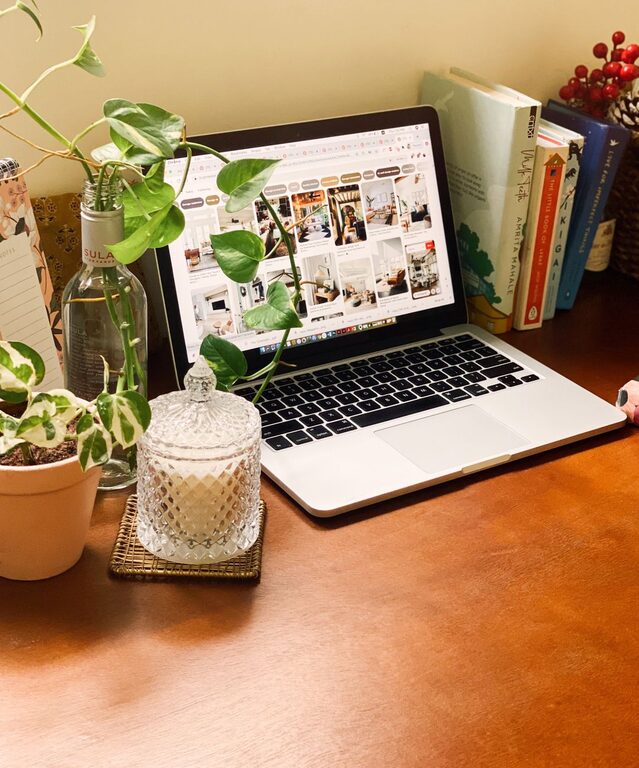
Decorate with a few favorite items like photos, plants, or artwork to create a welcoming atmosphere without overcrowding.
Use Plants
Indoor plants can improve air quality and add a touch of nature, helping to reduce stress and increase productivity.
Establish a Routine and Boundaries
Define Work Hours
Set clear start and end times for your workday to create structure and avoid burnout.
Take Regular Breaks
Incorporate short breaks to rest your eyes and stretch your body, which can help maintain productivity throughout the day.
Communicate Boundaries
Let family or housemates know your schedule and workspace rules to minimize interruptions.
Maintain Cleanliness
Schedule Regular Cleaning
Keep your workspace clean by wiping down surfaces, dusting equipment, and organizing papers regularly.
Digitize Documents
Reduce paper clutter by scanning important documents and storing them electronically.
Use Productivity Tools
Task Lists and Calendars
Employ planners, digital calendars, or apps to organize tasks and deadlines, which keeps you on track and reduces stress.
Noise-Cancelling Headphones
If noise is a concern, use noise-cancelling headphones or white noise machines to maintain concentration.
Final Thoughts
Creating a productive home workspace is about balancing comfort, organization, and functionality. By choosing the right location, investing in ergonomic furniture, minimizing distractions, and establishing routines, you can foster an environment that supports your productivity and well-being. Adapt these tips to suit your individual needs and preferences, and enjoy a more focused, efficient workday at home.
Related Posts
Tips for Creating a Cozy and Inviting Home Workspace
Creating a cozy and inviting workspace at home is essential…

Tips for Creating a Productive Home Office Environment
Creating a productive home office environment is essential for anyone…

Tips for Creating a Cozy and Inviting Home Office Space
Creating a cozy and inviting home office space is essential…